Showing posts with label vst plugins. Show all posts
NA Chromatic Tuner VST

NA Chromatic Tuner VST


NA Chromatic Tuner gives you fast, accurate tuning.

  • Big, bright full color LED display.
  • Get perfect tuning anytime, anywhere with the iOS version for iPhone/iPad.
  • Calibration To Any Pitch Standard - A=440 Default.
  • Drop/Capo Mode: Nembrini Audio Tuner Will Auto-Transpose Notes Up Or Down To One Full Octave.
  • Compact tuner gives you fast, accurate tuning tool in a single plugin.
  • Ultra-precise tuner gives you ±0.01 cent accuracy for ultimate tuning performance.

Raptor VST Free Download

Raptor VST Free Download


Raptor is a 2 osc synth using waveplayers to play single cycle waveform samples.

I have included a folder full of samples to use, but you can load any you choose youself.  It has two waveplayers/osc, each with its own filter and amp envs, as well as pan, vol and tune, 4 LFO's (2 for 
each OSC) and a MOD section.

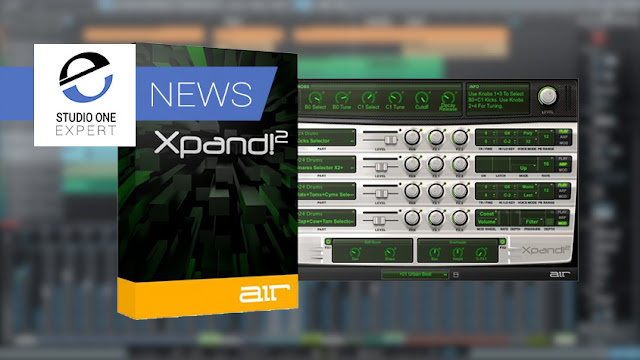
Xpand 2 Virtual Instrument Plugin for Free + Libary

Xpand 2 Virtual Instrument Plugin for Free + Libary


One of the best virtual instruments to ever ship with Pro Tools is Xpand!2.
AIR Music Technology used to be part of Avid and was the team responsible for creating the instruments and effects that shipped with Pro Tools.
Some years back the AIR team left Avid and started releasing plug-ins in AU and VST format, Xpand!2 is one of the best. Right now Don't Crack are offering it for free instead of the usual $69.99, but for a limited time.

Xpand!2

Xpand!2 is a multitimbral workstation offering four active sound slots, or parts, per patch. Each part is provided with its own MIDI channel, Note Range (Zone), Mix, Arpeggiation, Modulation, and Effects settings—an excellent method for creating individual parts. Harnessing the four parts together to build one amazing Patch is where Xpand!2 reveals its true power. The Voice Mode for each part can be set to polyphonic or monophonic. Polyphonic parts can have up to 64 voices; monophonic parts offer First, Last, Highest, or Lowest priority making it easy to designate a bass, lead, or solo instrument.
Using everything from wavetables and FM synthesis to sample playback, the expert sound design team at Air Music Tech has carefully created thousands of ready-to-play Xpand!2 patches. Creating your own is easy, too. Parts can be quickly browsed and are conveniently sorted into 29 categories, offering a simple path to find just what you’re looking for.

Features

  • Four-channel multitimbral operation
  • Up to four stereo instrument parts per patch
  • Up to 64 voices per part; Mono or Poly voice modes
  • Smart Knobs provide intuitive sound editing
  • Easy Edit Knobs control the entire patch at once
  • Two digital effects processors; 50 editable effect types
  • Individual arpeggiation control for each part
  • Multiple sound generation engines: Subtractive Synthesis, FM Synthesis, Tonewheels, Sample Playback
  • 2500+ total presets and parts in the following categories: Soft Pads, Bright Pads, Huge Pads, Action Pads, Ambience and FX, Polysynths, Synth Brass, Percussive, Simple Arpeggios, Multitrack Arpeggios, Soft Leads, Hard Leads, Acoustic Piano, E-Pianos and Clavinet, Organs, Strings, Vocals, Brass and Woodwinds, Mallets, Bells, Guitars, Ethnic, Hits, Synth Basses, Basses, Drums, Percussion, Loops, Multitimbral

System Requirements

Compatible with AU and VST only. (AAX version available in AIR Creative Collection)
  • PC: Windows 10, 8 or Windows 7 Service Pack 1; Minimum Dual Core 2GHz (Intel Core i5 or i7 Recommended)
  • Mac: Mac OS X 10.8.5-10.12; Core Duo Processor (Core i5 or i7 Recommended)
  • Minimum RAM 1GB (2GB or more recommended)
  • 1GB free hard drive space (Download and Installation)
  • A 64-bit compatible host application
  • Internet Access (Download and Authorization)
  • iLok hardware dongle optional, iLok authorisation required

How To Get Xpand!2 Free

To get your FREE Xpand!2 just add it to the Shopping Cart on the Don't Crack web store and redeem the following coupon code at checkout: XpandFreebie

Native Instruments Kontakt 6 v6.2.2 Full version

Native Instruments Kontakt 6 v6.2.2 Full version


With KONTAKT 6, you can sound like a snare drum, a symphony orchestra, or anything in between, from a universe of sampled instruments. It’s a simple sampler when you want it to be, and a deep sonic scripting laboratory when you need something more. The next generation of the world’s favorite sampling platform gives you new instruments and new features under the hood – so you can layer, link, stretch, and shape your sounds any way you can imagine. 


 What’s new?

Over two decades, KONTAKT has become a highly-developed engine for creating and playing sampled instruments. KONTAKT 6 offers more for players and builders alike: 
  • Introducing KONTAKT Play Series: Three new instruments for the KONTAKT library, offering pristine, contemporary sound in a creative and streamlined interface 
  • Wavetable synthesis module: Build hybrid instruments for entirely new sounds 
  • Enhanced effects: Even more effects for your creations, for greater expression and realism 
  • Creator Tools: New standalone application dedicated to improving the library creation and editing process. 


Serato.Sample.v1.2.0.CE-V.R Download

Serato.Sample.v1.2.0.CE-V.R Download


Année / Date de sortie : 02/03/2020
Version : 1.2.0
Développeur : Serato
Site Web du développeur : Serato
Format : VSTi
Bit : 32bit, 64bit
Tabletka : guéri | VR
Configuration requise : Windows 10
Windows 8.1 (64 bits)
Windows 7 avec SP1
(64 bits uniquement)
Description: Les spécialistes du logiciel Serato DJ annoncent un échantillon Serato. Il s'agit d'un plugin d'échantillonnage, dont le but est d'obtenir la vitesse et la facilité d'un environnement de travail DJ typique au sein d'une station de travail à part entière. Il est également important pour les développeurs que la qualité sonore soit critique. Actuellement, vous pouvez vous abonner à la version bêta publique et l'essayer par vous-même.
Caractéristiques principales de l'échantillon Serato:
Fonctionne avec la plupart des logiciels de création musicale, y compris Ableton Live, FL Studio, Logic Pro et Maschine.
Reconnaît la tonalité et son changement. Ainsi, vous pouvez déterminer la tonalité puis la modifier à l'aide de la fonction Pitch'n'Time.
Recherche et sélectionne des échantillons à l'aide de la fonction Autoset. En un clic, un algorithme spécial trouve les 16 meilleurs échantillons avec lesquels travailler.
Utilisation de Cue Point dans un workflow. Il utilise le flux de travail populaire de Serato DJ pour créer et lancer des pads.
Manipulation d'échantillons. Manipulez chaque pad individuellement. Modifiez la tonalité, le tempo et bien plus encore.
Schémas de couleurs Serato. Reconnaître visuellement les pistes sans les écouter. Rouge pour les basses, bleu pour les aigus.